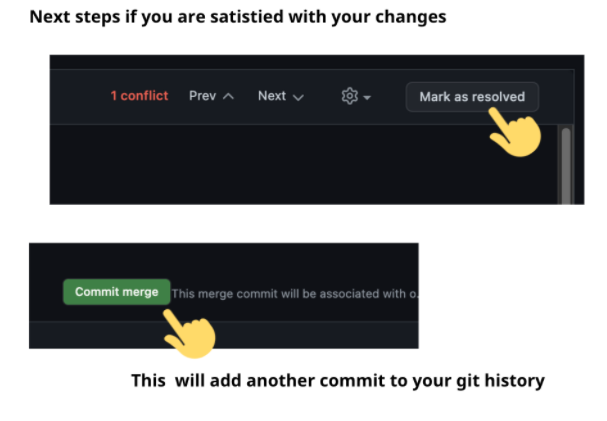
A merge conflict happens when Git is unable to automatically resolve differences in code.
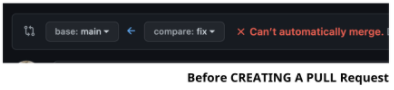 After creating a PR, Git will highlight the conflicted areas, and ask which code you wish to keep.
 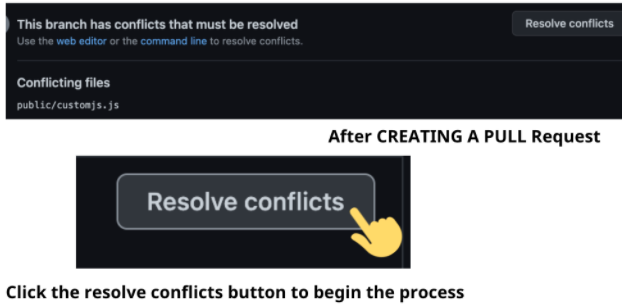 This is not the only way a merge conflict can occur. A second scenario where this can happen is when you merge another branch into your working branch. In this case, we are merging the main branch into our development branch using git merge main.
 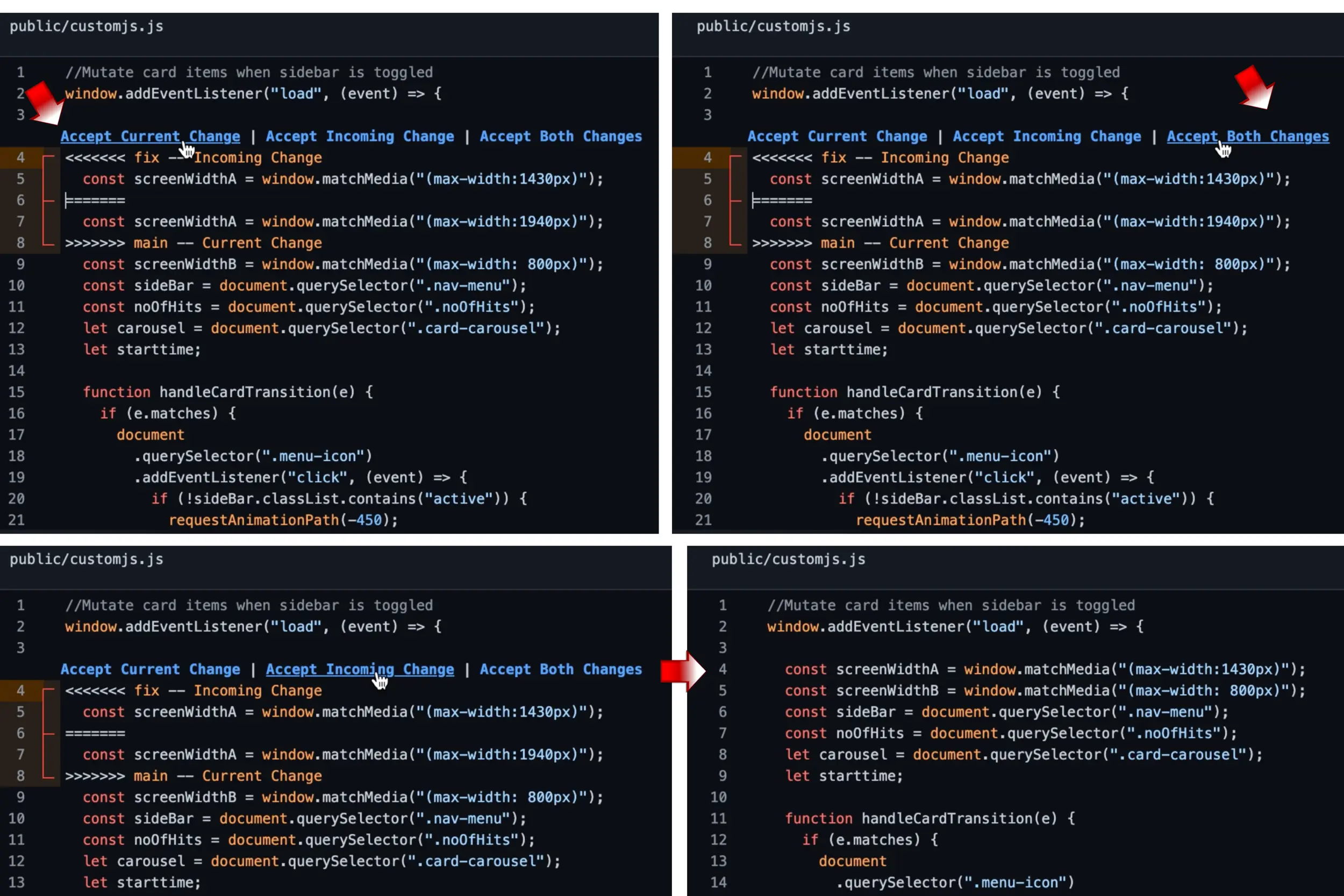 The resolve conflicts button opens up an interactive editor where you can see Incoming Change and Current Change. Git is smart enough to highlight the points of the conflicts we need to resolve by using arrowhead symbols.
<<<<<<<<<< — Incoming Change: Represents the changes you made in your branch that you would like to merge in.
>>>>>>>>>> — Current Change: Has the changes in the current branch you want to merge into.
These two changes are normally separated with `==========`.
Accept incoming changes if you would like to keep your changes instead, or current change if you want to discard your changes. There is also a ‘keep both changes’ option if that applies.
NB: It is always a good idea to ask for help from another team member if you are unsure what changes should be kept or discarded.
The resolve conflicts button opens up an interactive editor where you can see Incoming Change and Current Change. Git is smart enough to highlight the points of the conflicts we need to resolve by using arrowhead symbols.
<<<<<<<<<< — Incoming Change: Represents the changes you made in your branch that you would like to merge in.
>>>>>>>>>> — Current Change: Has the changes in the current branch you want to merge into.
These two changes are normally separated with `==========`.
Accept incoming changes if you would like to keep your changes instead, or current change if you want to discard your changes. There is also a ‘keep both changes’ option if that applies.
NB: It is always a good idea to ask for help from another team member if you are unsure what changes should be kept or discarded.